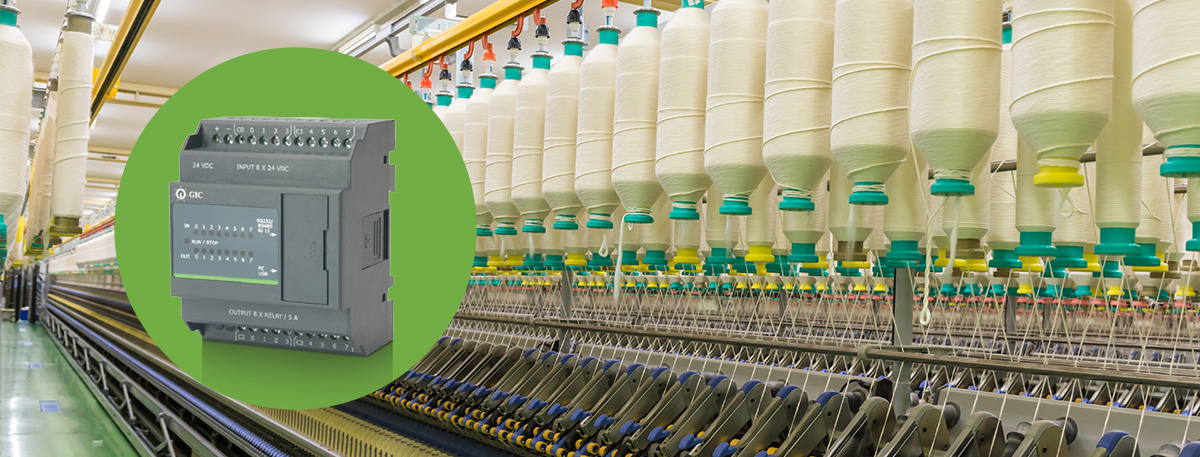
Programmable Logic Controllers (PLCs) are the backbone of industrial automation, controlling machines, sensors, and actuators to keep production processes efficient and consistent. Despite their robust design, Programmable controller can experience faults, hardware wear, software glitches, or external interference, all of which can disrupt operations and lead to costly downtime.
Understanding common PLC issues and effective troubleshooting techniques is essential for engineers, technicians, and operators.
In this blog, you will learn about the key components of PLC systems. We will cover common problems they encounter and provide practical troubleshooting tips to help you fix issues and keep systems running smoothly.
Common PLC Issues and How to Troubleshoot Them
To troubleshoot a Programmable Logic Controller (PLC), first gather all relevant information and ensure safety. Then check the power supply, status lights, wiring, and communication systems, followed by testing I/O modules and reviewing the program for errors using diagnostic tools. Here are few common issues and troubleshooting tips
1. Power Supply Issues
One of the most common problems with PLCs is related to the power supply. If your PLC isn’t powering up or is intermittently losing power, the issue could be with the power source. Check the voltage levels and ensure the power supply meets the PLC’s requirements. Additionally, inspect for loose connections or faulty wiring causing power fluctuations.
Tip: Always use a multimeter to verify that the power supply is stable and within the specified range.
Read more: Essential Components of PLCs Explained
2. Faulty I/O Modules
Input/Output (I/O) modules are critical for PLC functionality, as they manage the signals sent to and from the system. The issue may lie in the I/O modules if you notice incorrect or missing signals. This can be caused by physical damage, loose connections, or software configuration errors.
Tip: Regularly inspect and test I/O modules for proper operation. Ensure that all connections are secure and that the modules are correctly configured in the PLC software.
3. Communication Failures
PLC systems often rely on communication networks to exchange data between different components. Communication failures can lead to disrupted processes and inaccurate data. This could be due to incorrect settings, cable faults, or network congestion.
Tip: Check the communication settings, ensure all cables are intact, and monitor the network for traffic issues. Using diagnostic tools can help identify where the communication breakdown is occurring.
4. Program Errors
Programming errors are another common source of PLC issues. These can range from syntax errors in the code to incorrect logic that causes the PLC to behave unexpectedly. Debugging the program is essential to identify and correct these errors.
Tip: Use the PLC’s debugging tools to step through the program and monitor the execution of each command. This will help you pinpoint where the logic is failing and make the necessary corrections.
Read more: Top 5 Most Popular PLC Programming Languages Explained
5. Overheating and Environmental Factors
PLCs are sensitive to their operating environment. Excessive heat, moisture, or dust can cause the system to overheat or fail. This is particularly common in industrial settings where environmental controls may be challenging to maintain.
Tip: Ensure that the PLC is housed in a clean, temperature-controlled environment. Regularly clean air filters and check that cooling systems are functioning correctly.
6.Memory and Storage Issues
Limited memory or corrupted storage can lead to PLC malfunctions, especially in systems that handle large amounts of data or complex processes. If the PLC is running out of memory, it may cause the system to slow down or crash.
Tip: Regularly back up your PLC programs and data. If memory issues persist, consider upgrading the PLC’s storage capacity or optimizing the existing program to use memory more efficiently.
Best Practices to Keep PLC Systems Running Smoothly
To ensure your PLC systems run smoothly and avoid unexpected downtime, follow these practical tips:
- Regular Maintenance
Check PLC hardware, wiring, and connected devices on a schedule. Routine inspections help catch small issues before they become big problems. - Use Diagnostic Tools
Use PLC software and monitoring tools to quickly spot faults, track performance, and stay ahead of potential failures. - Document System Changes
Keep a clear record of program updates, configuration adjustments, and wiring modifications. Good documentation makes troubleshooting faster and easier. - Train Your Team
Ensure that operators and technicians are familiar with handling programmable controller, follow troubleshooting procedures, and adhere to safety protocols. Skilled staff prevent errors and reduce downtime. - Plan for Redundancy
Implement backup power, redundant controllers, or failover systems. These measures help keep operations running even when part of the system fails.
Read more: Different Types of PLCs Explained
Conclusion
PLC troubleshooting requires a systematic approach to identify and resolve issues promptly. By focusing on common problems such as power supply issues, faulty I/O modules, communication failures, program errors, environmental factors, and memory issues, you can minimize downtime and keep your automation systems running smoothly.